In short
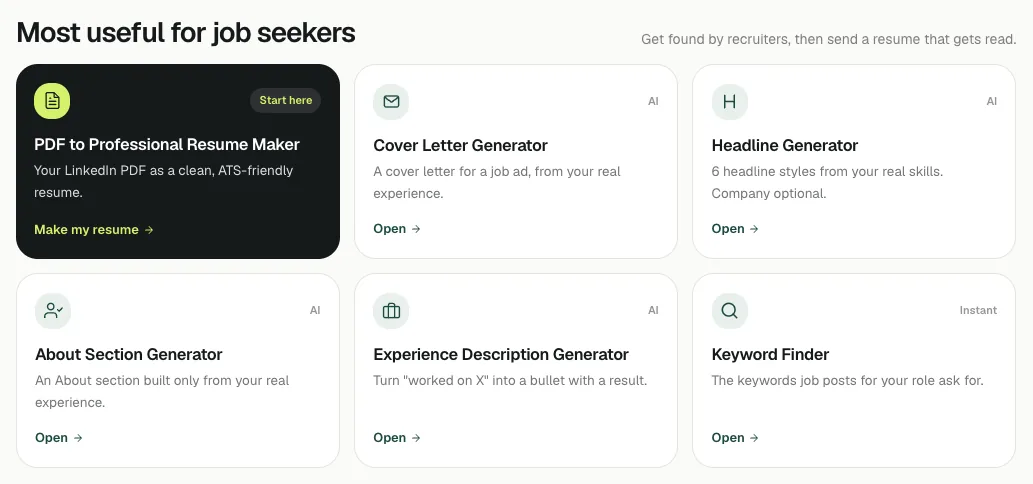
Start by saving your LinkedIn profile as a PDF, since most tools can read it. To get found by recruiters, use the keyword finder, the profile keyword analyzer, then the headline and About generators. To apply for a job, turn your PDF into a resume and write a cover letter for each job ad. To post and network, use the post idea, hook, comment and connection message tools. All are free with no signup; the keyword, formatting and QR tools run entirely in your browser.
On this page
Start here: get your LinkedIn PDF
Most of the tools can fill themselves in from your LinkedIn profile PDF, which saves typing and gives them real detail to work from. It takes three clicks on a computer: how to save your LinkedIn profile as a PDF (with phone steps).
Want to know where your profile stands first? The free profile check scores it the way a recruiter reads it and lists the fixes that matter most.
If you want recruiters to find you
| Your goal | Use | Guide |
|---|---|---|
| Know which words recruiters search for your role | Keyword finder | Keyword tools guide |
| Check how findable your profile is overall | Profile keyword analyzer | Keyword tools guide |
| Write a headline that gets found | Headline generator | Headline generator guide |
| Write or improve your About section | About generator | About generator guide |
| Turn vague duties into strong bullets | Experience description generator | Experience section length |
| Add an #OpenToWork ring to your photo | Photo ring creator |
The order that works: keywords first (so you know the words), then headline, then About, then experience.
Try it on your profile
The free LinkedIn PDF to Professional Resume Maker applies this in a minute.
If you are applying for a job
| Your goal | Use | Guide |
|---|---|---|
| A clean, ATS-friendly resume from your LinkedIn | LinkedIn PDF to Resume Maker | Resume maker guide |
| A cover letter for a specific job ad | Cover letter generator | Cover letter guide |
| The skills a job ad asks for that your resume lacks | Keyword finder (paste one ad) | ATS resume keywords |
| A QR code to your profile for your resume or events | QR code generator |
Make the resume once, then tailor it and write a new cover letter for every job: how to tailor your resume.
If you want to post or reach out
| Your goal | Use |
|---|---|
| Plan what to post for a few weeks | Content planner |
| Ideas for your next post | Post idea generator |
| Turn an experience into a post | Story to post converter |
| A first line that makes people click "see more" | Hook generator |
| Bold, italic or bullets in a post | Text formatter |
| Check a post or headline fits | Character counter |
| Comment well on someone's post | Comment generator |
| A connection note that gets accepted | Connection message generator |
Which tools use AI, and which run in your browser
The tools work in two ways:
- In your browser, no AI: the keyword finder, profile keyword analyzer, text formatter, character counter, QR code generator and photo ring creator. What you type, and your photo in the ring creator, stay on your device. (If you drop a LinkedIn PDF into the keyword tools, it is read on our server to pull out the text and is not stored.)
- With AI: the headline, About, experience, cover letter, post, hook, comment and message tools, and the optional tailoring in the resume maker. What you enter is sent to write the result and is not stored. AI drafts can be wrong, so read before you post or send. The resume maker reads your PDF on our server to build the resume, and does not keep it.
All of them are free with no signup.
After the free tools
The free tools fix one piece at a time. If you would rather do it all at once, the Job Pack (with a 5-day free trial) adds a full LinkedIn rewrite, a resume and cover letter tailored to each job you pick, and more matched roles. A free account already gives you up to 15 matched open roles from employers' own career pages (refreshed daily), a weekly email of new ones and an applications tracker. It is software, not a job board: you apply on the employer's site. The free trial shows up to 50 matched roles and the Job Pack up to 150. See pricing for what each includes.
Questions people ask
Which LinkedIn tool should I use first?
Save your LinkedIn profile as a PDF, then get a free profile score to see what to fix. If you are applying now, start with the LinkedIn PDF to Resume Maker; if you want recruiters to find you, start with the keyword finder.
Are the LinkedInRank tools really free?
Yes. Every tool on the tools page is free with no signup and no watermark.
Do the tools store my LinkedIn PDF or what I type?
No. Browser-only tools keep what you type on your device. A LinkedIn PDF is read on our server to pull out the text, and the AI tools use your input to write the result; neither is stored.
Which tools work without AI?
The keyword finder, profile keyword analyzer, text formatter, character counter, QR code generator and photo ring creator run entirely in your browser.
Is LinkedInRank a job board?
No. It is software that improves your LinkedIn, resume and cover letters. Accounts can also see open roles matched to their profile from employers' own career pages, and you apply on the employer's site.
Written by Bhavishya Singla
Founder of LinkedInRank. Writes about how recruiters search LinkedIn and what makes a profile show up.
Add LinkedInRank as a preferred source on Google
See our new LinkedIn guides first in Google results.