In short
Open the free cover letter generator, drop your LinkedIn PDF (or type a few lines about your roles and results), paste the whole job ad, and pick a tone: Professional, Warm or Direct. In 5 to 15 seconds you get a one-page letter of 3 to 4 short paragraphs written only from your real experience. Read every line, fix anything with Edit the letter, choose one of 4 designs and download it as a PDF, copy it, or save it as text.
On this page
What you need before you start
- Your experience, either as your LinkedIn PDF or as a few lines you type: your roles, what you did and one or two results.
- The full job ad. Not just the title: the responsibilities and the requirements. The letter is built around what the ad asks for, so a short snippet gives a vague letter.
The tool needs at least a few lines of experience and a few paragraphs of job ad before the button turns on.
All screenshots in this guide were taken on linkedinrank.com with a made-up sample profile. The person, employers and contact details are made up.
Step 1: Tell it about you
Open the cover letter generator. Section 1 is about you.
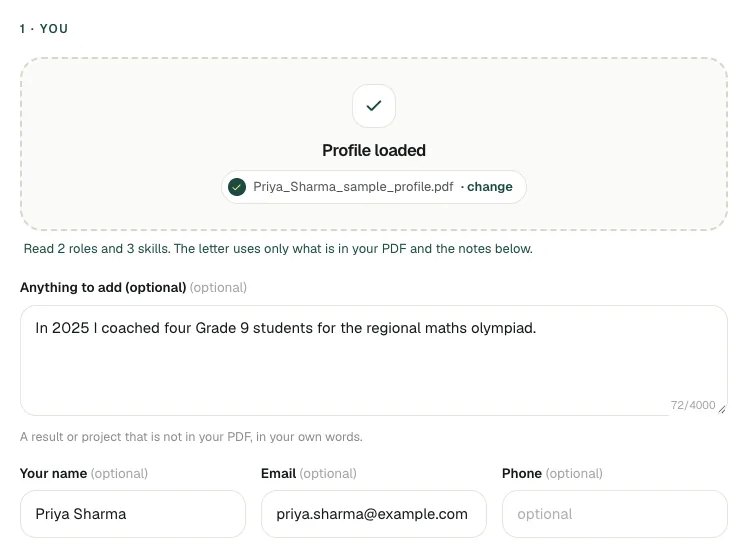
- With your LinkedIn PDF: drop it on the box. The tool tells you how many roles and skills it read and fills in your name and any email or phone in the PDF. The letter uses only what is in your PDF and the notes you add.
- Without a PDF: type your experience in the box, one role or result per line. For example: "Maths teacher, Sunrise Public School, 2021 to now: Grades 8 to 10, two board classes a year".
- Anything to add: the place for a recent result, a project or a certificate that is not on LinkedIn yet. In the sample, Priya added an olympiad she coached for, and it made it into the letter.
- Name, email, phone: these go at the top of the letter. Leave one empty and the letter shows a [bracket] to fill in.
Try it on your profile
The free Cover Letter Generator applies this in a minute.
Step 2: Paste the whole job ad
Section 2 is the job. Paste the whole posting into Job ad.
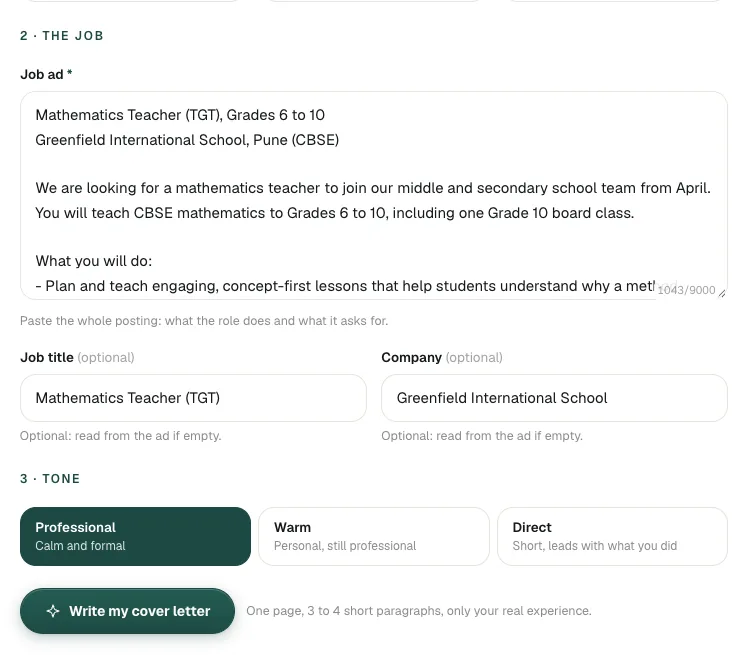
Job title and Company are optional; the tool reads them from the ad when you leave them empty. Fill them in yourself when the ad does not start with a clear "Job title at Company" line, for example when it opens with a grade range or a location. Otherwise the greeting and address block can pick up the wrong words.
Step 3: Pick a tone and write the letter
Section 3 is the tone:
| Tone | Sounds like | Good for |
|---|---|---|
| Professional | Calm and formal | Schools, banks, government, large companies, when unsure |
| Warm | Personal, still professional | Non-profits, healthcare, small teams, roles about people |
| Direct | Short, leads with what you did | Startups, sales, tech, busy hiring managers |
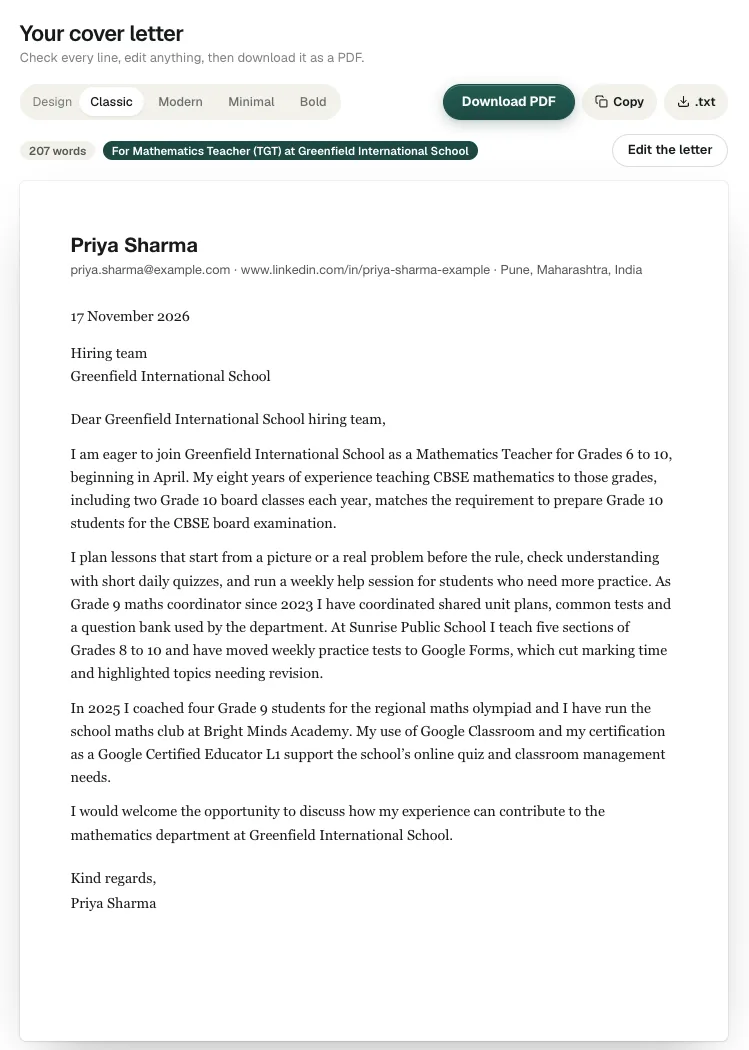
Click Write my cover letter. It usually takes 5 to 15 seconds and gives you 3 to 4 short paragraphs on one page, with your contact details and the date at the top.
Step 4: Check every line and edit
The letter is a first draft. Read it as the hiring manager would, and check three things:
- Is every fact true? If the tool could not find a fact in what you gave it, a yellow Check before you send note lists it. Change or remove anything that is not true.
- Is it about this job? The first paragraph should name the role and the school or company and say why you fit.
- Does it sound like you? Swap any phrase you would never say out loud.
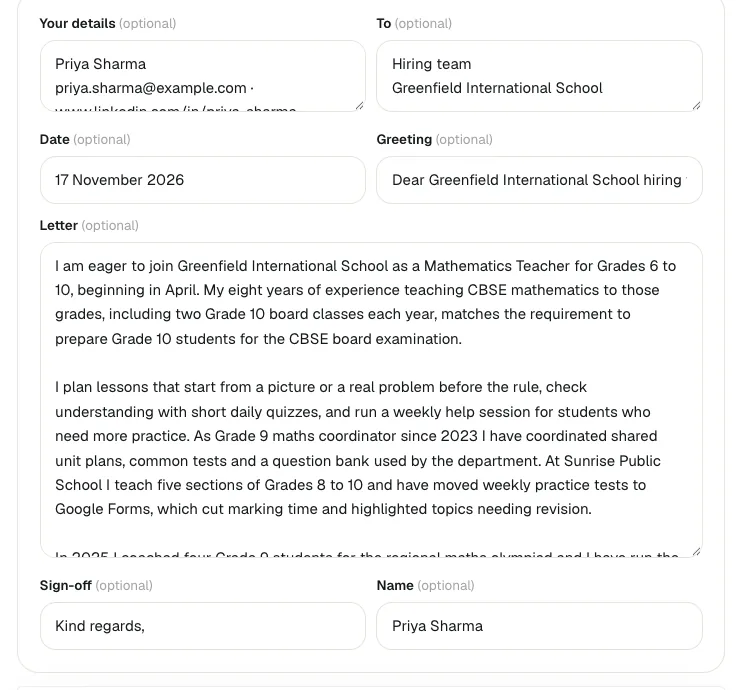
Click Edit the letter to change any part: your details, who it is addressed to, the date, the greeting, the body, the sign-off and your name.
If the letter is under about 130 words, the tool says so: it only writes what you gave it, so a thin profile makes a short letter. Add a few lines about your work in step 1 and write it again.
Step 5: Pick a design and download
Choose one of four designs above the letter: Classic (serif, quiet and formal), Modern (clean sans with a green rule), Minimal (light, small caps name) or Bold (dark header band).
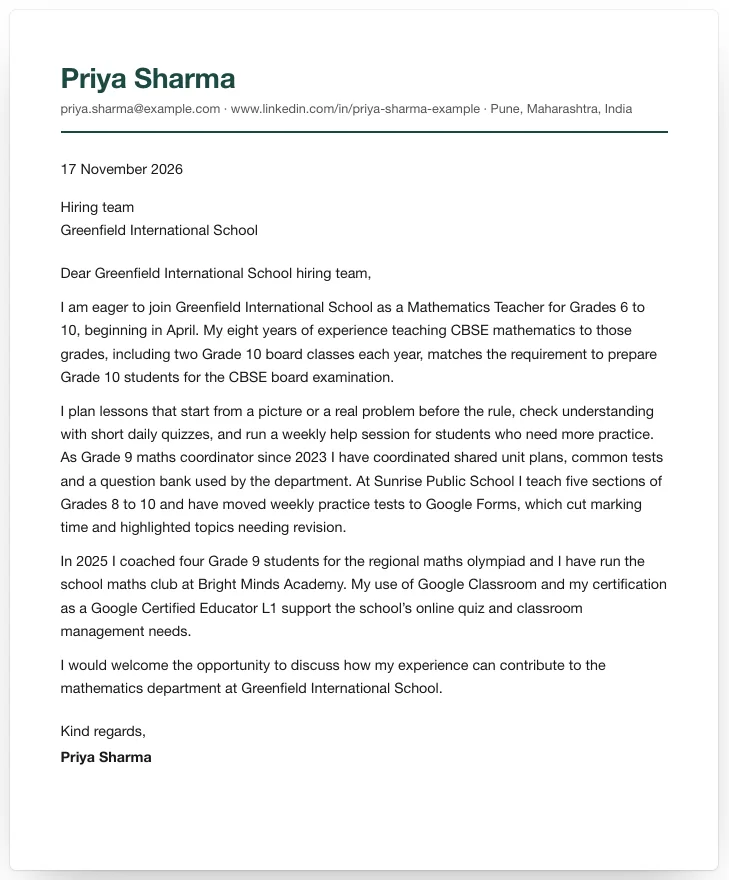
- Download PDF opens the letter in a new window with your browser's print dialog: choose Save as PDF. If nothing opens, allow pop-ups for linkedinrank.com and click again.
- Copy for application forms with a cover letter box, or an email body.
- .txt to keep a plain-text copy.
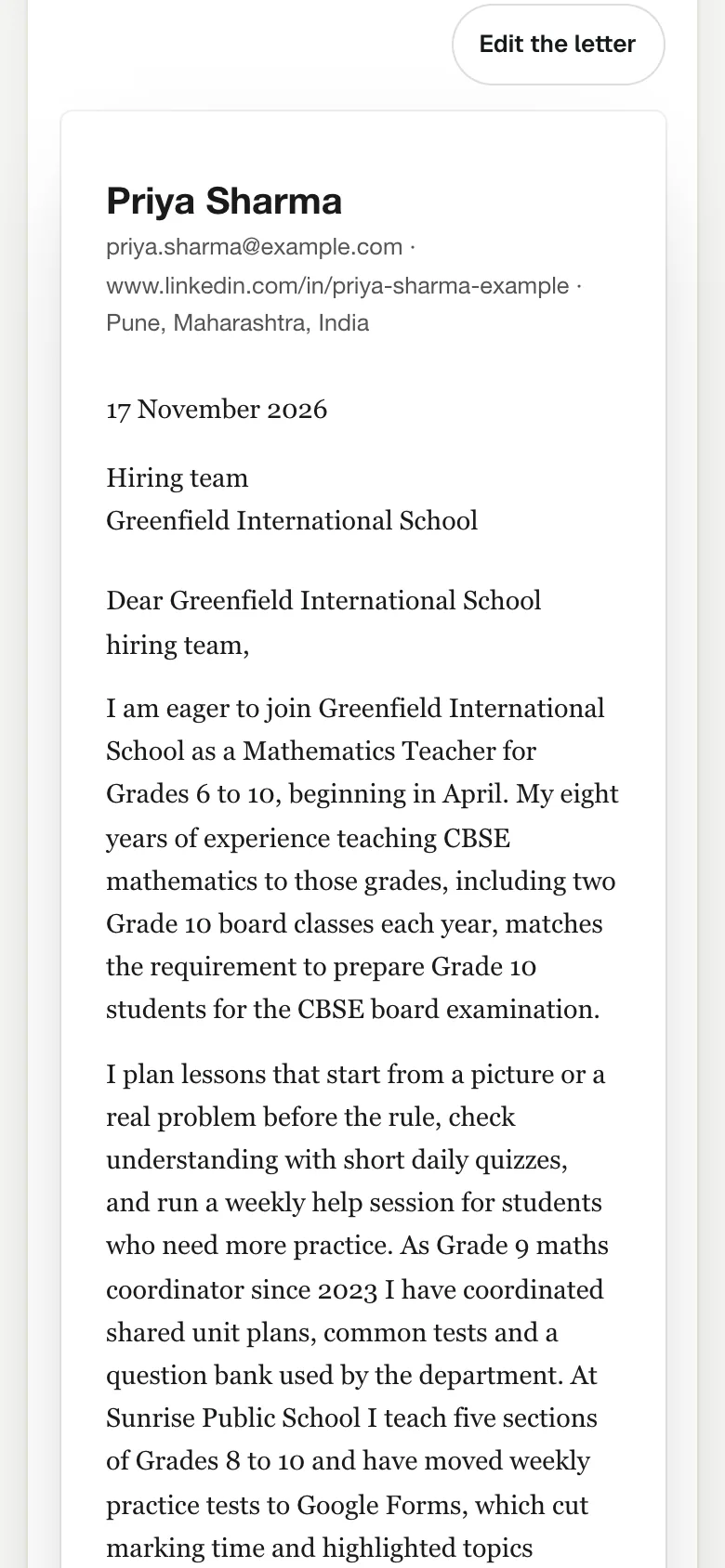
On a phone the letter fits the screen, and you can edit and download it the same way.
Next step: apply to roles that fit
With a resume and letters ready, a free LinkedInRank account takes the next steps with you: your profile check, up to 15 matched open roles from employers' own career pages (refreshed daily) with a weekly email of new ones, and an applications tracker. It is not a job board; you always apply on the employer's site. The Job Pack (with a 5-day free trial) adds a full LinkedIn rewrite and a resume and cover letter tailored to each job you choose; the trial shows up to 50 matched roles and the pack up to 150.
Tips for a stronger letter
- Give it one result per role. "Started a weekly algebra help session" gives the tool something to write about; "responsible for teaching" does not.
- Use the exact job title from the ad, so the letter and your resume match what the recruiter searched for.
- Add the reason you want this employer in "Anything to add" if you have a real one: a programme they run, a product you use, a value they state. The tool will not invent one for you.
- Write a new letter for each job. It takes under a minute, and a letter written for the ad reads very differently from a general one. See how to tailor a cover letter to a job.
- Field guides help. Teachers can compare with the teacher cover letter example, students with the internship cover letter guide, and career changers with the career change cover letter.
Honest limits
- It cannot know what you did not tell it. No PDF or a thin profile means a short, general letter.
- AI can still be wrong. The tool checks the facts in the letter against what you gave it and flags what it cannot find, but you are the one sending it. Read every line.
- It does not know the hiring manager's name unless the ad says it. Find it on the company site or LinkedIn and add it in Edit.
- Nothing is saved. Download or copy your letter before you leave the page.
Questions people ask
Is the cover letter generator free?
Yes. You can write, edit and download cover letters with no signup. Each click writes a new letter with AI, so give it your full experience and the full job ad to get a useful first draft.
Do I need my LinkedIn PDF to use it?
No. You can type a few lines about your roles and results instead. The PDF just saves typing and gives the tool more real detail to work from.
Will the generator make up experience?
It is told to use only what is in your PDF and your notes, and it checks the letter against them. Anything it cannot find is listed under "Check before you send" so you can fix it.
How long is the cover letter?
One page: 3 to 4 short paragraphs plus your details, the date, the greeting and the sign-off. If it comes out under about 130 words, add more about your work and write it again.
Why does Download PDF not open anything?
It opens the letter in a new window with the print dialog. If your browser blocks pop-ups, allow them for linkedinrank.com and click Download PDF again, then choose Save as PDF.
Written by Bhavishya Singla
Founder of LinkedInRank. Writes about how recruiters search LinkedIn and what makes a profile show up.
Add LinkedInRank as a preferred source on Google
See our new LinkedIn guides first in Google results.